
SOFTWARE UPDATES
MOBILETrak Administrator Controls
A New ADMIN module was added to MOBILETrak as part of Release 2.10.0
We are pleased to announce a platform update designed to give provide your team greater control, faster turnaround, and a noticeably better day-to-day experience inside within MOBILETrak WMS.
This update was deployed overnight on June 7th 2026. The new release is available now to all users. No action is required to receive the update itself. However, each customer is asked to designate up to five (5) ADMIN users by July 1, 2026. These users will be granted access to the new MOBILETrak WMS ADMIN and will be responsible for administering the customer environment going forward.
Designate adminsitrator users by contacting us at helpdesk@accessids.com.
The new ADMIN functionality provides direct customer access to manage and support the following areas:
Pending Transactions — Review and resolve pending or incomplete transactions that require customer action or correction.
Program Settings — Maintain the customer-level configuration that controls how MOBILETrak WMS functions for your organization.
Account Lists — Manage and maintain the account lists used across WMS transactions and workflows.
Location Filtering — Configure location filtering so users see and transact against the correct locations within MOBILETrak.
Together, these tools are intended to shorten resolution times, increase visibility, and reduce your dependence on IDS for everyday administration.
View our 2.10.0 Release Notes for additional information on the ADMIN feature: Version 2.10.0 Release
The new ADMIN functionality is being introduced so that your organization can manage routine system administration directly within MOBILETrak WMS, on your own schedule and without delay.
To support a smooth transition, Integrity Data Solutions will continue to assist with the following functions through July 1, 2026 as we set up each customers appropriate admin users:
Deleting Pending Transactions
Setting Customer Settings Defaults and Locks
Adding and Editing Account and Activity Code Lists
Adding and Editing Location Filtering
Effective July 1, 2026, these functions will be managed by customers directly through the MOBILETrak WMS ADMIN tools. We encourage your designated ADMIN users to begin working within the new functionality well ahead of this date so they are fully comfortable with the tools before the transition takes effect. IDS will remain available throughout the transition period to provide guidance and answer questions.
This change is designed to deliver greater control, faster response times, and improved visibility into your MOBILETrak WMS environment — putting the day-to-day experience squarely in your hands.
We appreciate your continued partnership and look forward to delivering these new capabilities to our customers.
Thank you,
The team at Integrity Data Solutions
MOBILETrak Cloud Version 2.10.0
NEW ADMIN FUNCTIONALITY ADDED!
This release includes an exciting change for MOBILETrak WMS customers! New ADMIN functionality which provides direct customer access to manage and support four critical areas of MOBILETrak:
Pending Transactions — Review and resolve pending or incomplete transactions that require customer action or correction.
Settings Defaults and Locks — Manage the application settings and how they are used within your MOBILETrak WMS environment.
Account and Activity Code Lists — Manage and maintain the account lists used across WMS transactions and workflows.
Location Filtering — Configure location filtering so users see and transact against the correct locations within MOBILETrak.
The new ADMIN functionality is being introduced so that your organization can manage routine system administration directly within MOBILETrak WMS, on your own schedule and without delay.
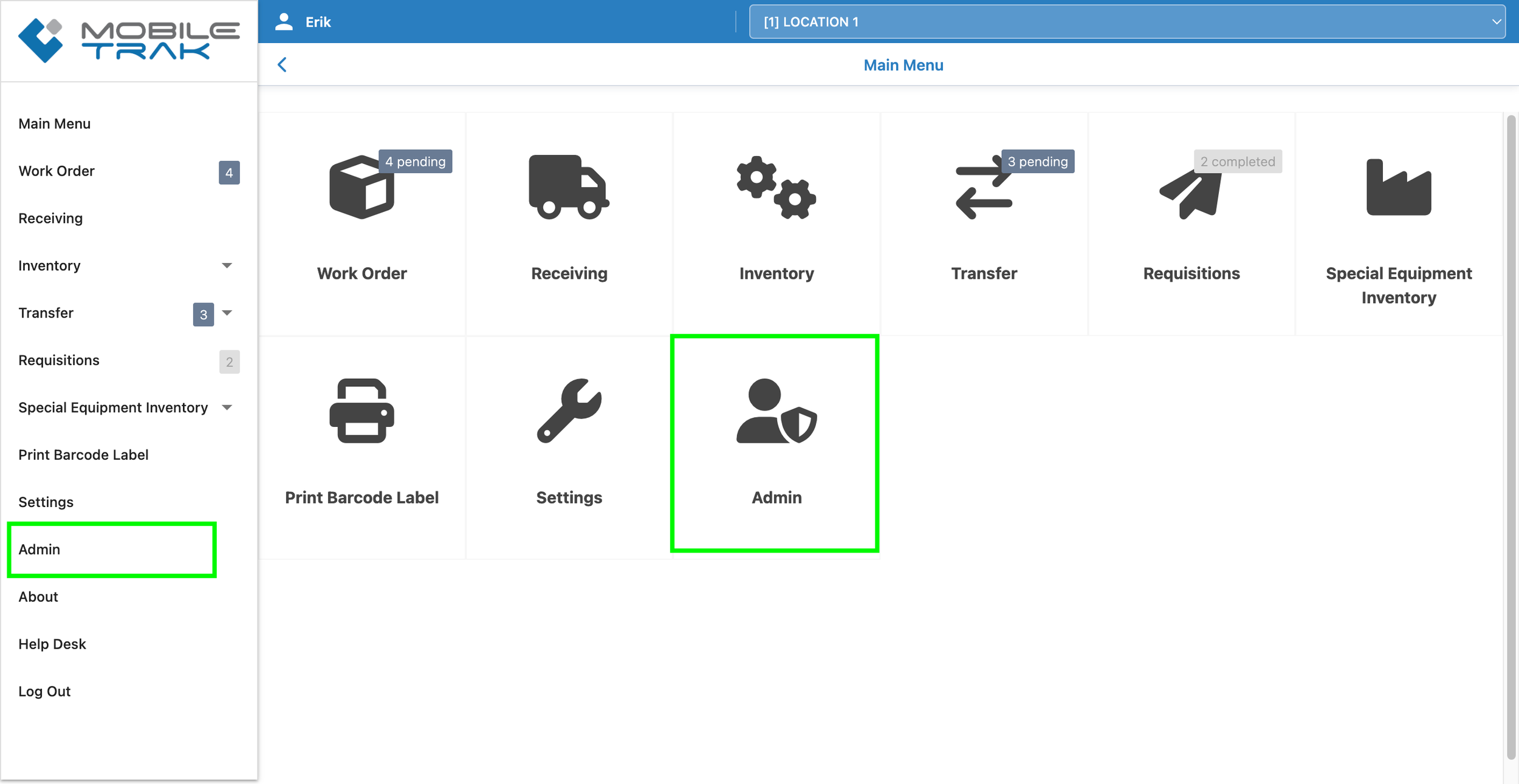
Designated ADMIN users (Up to 5 per customer organization) will have access to a new module linked from the program menu:
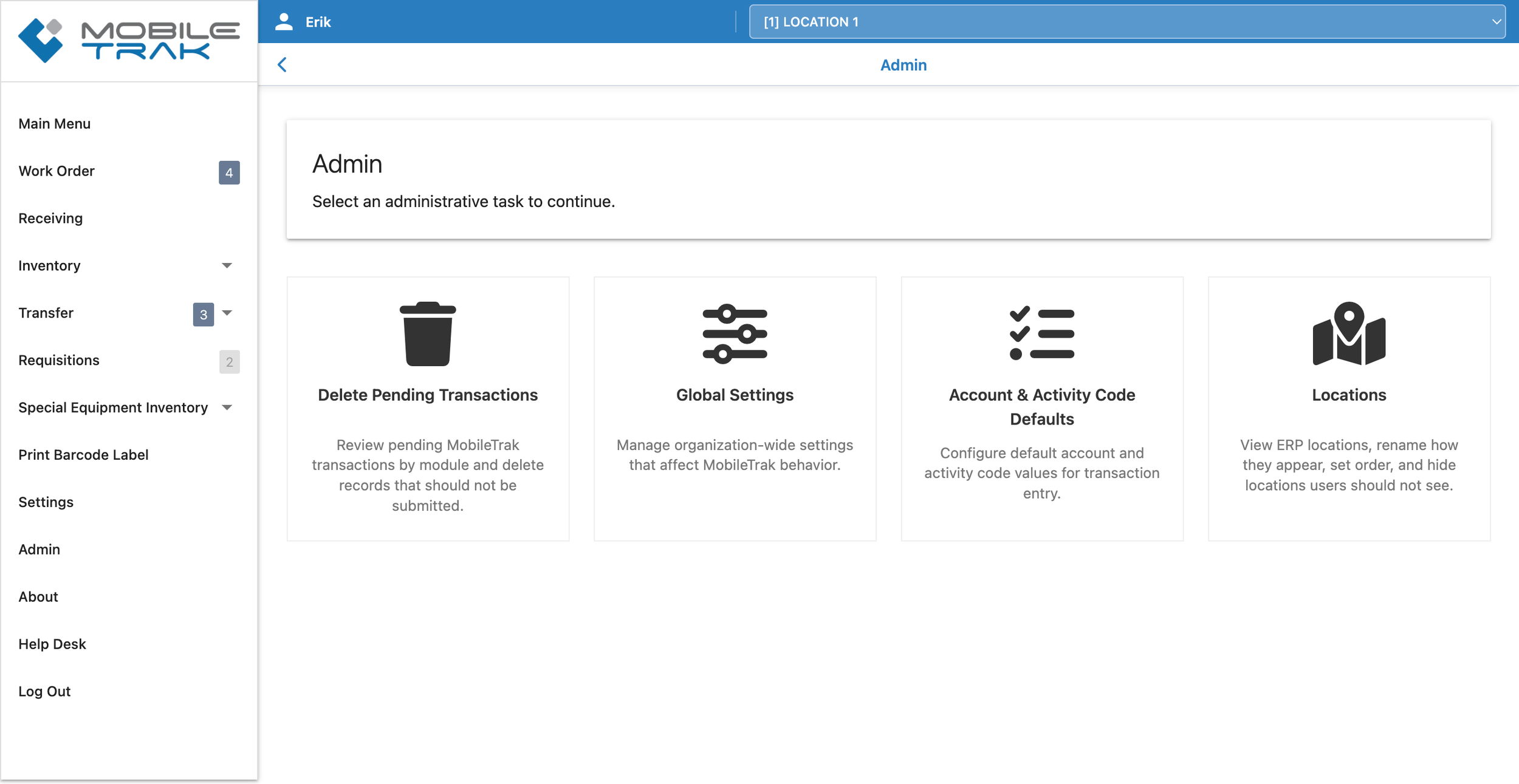
The Admin Module has it’s own menu laying out the four areas users can go to make changes on behalf of their organization:
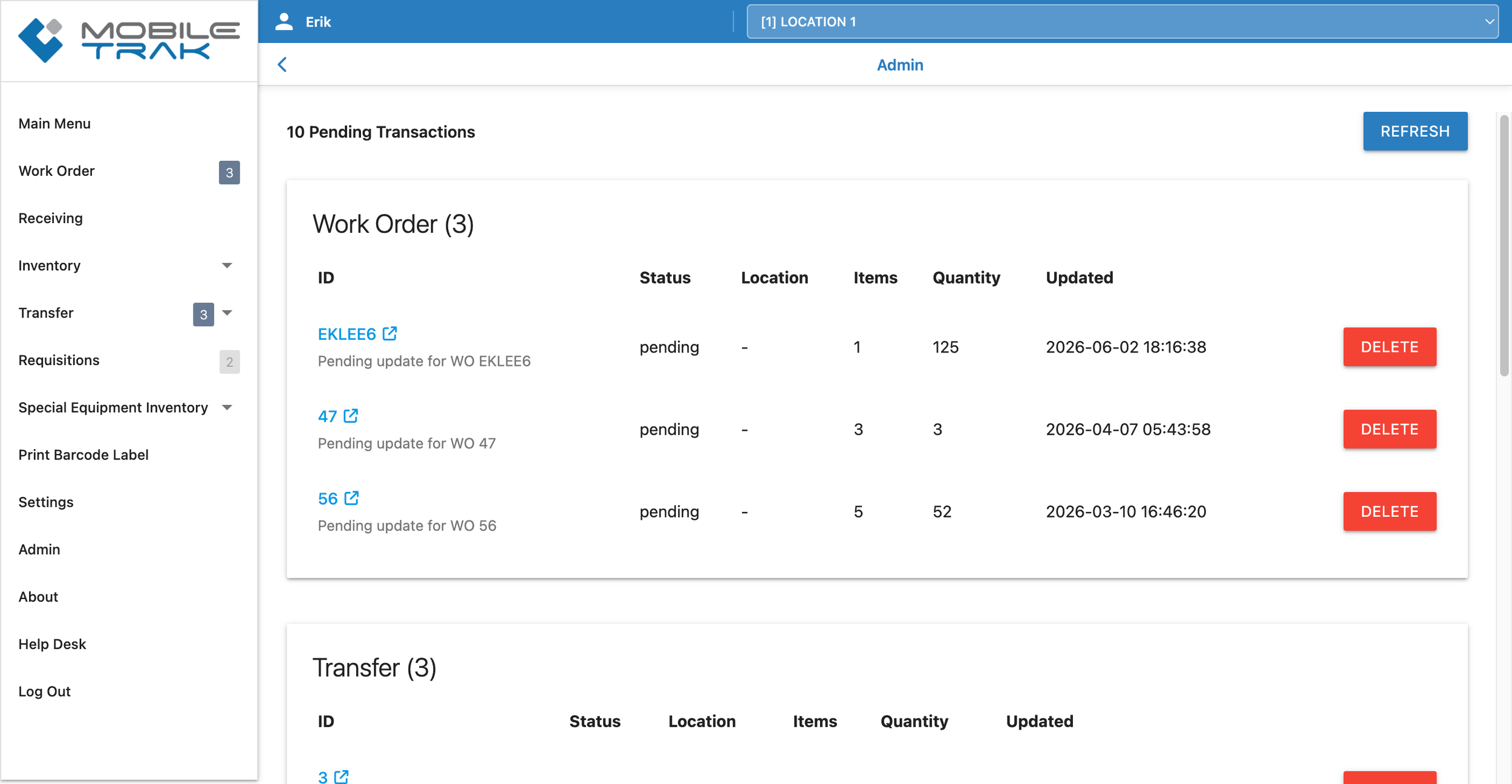
Delete Pending Transactions allows users to view and delete any transactions currently pending within the program. Pending transactions are listed by module and will display for all active locations. Administrators can quickly link to the transaction itself from the admin area, as well as delete any transactions that no longer need to be completed. The Refresh button will update the page with any transaction statuses that have changed since the page was last loaded.
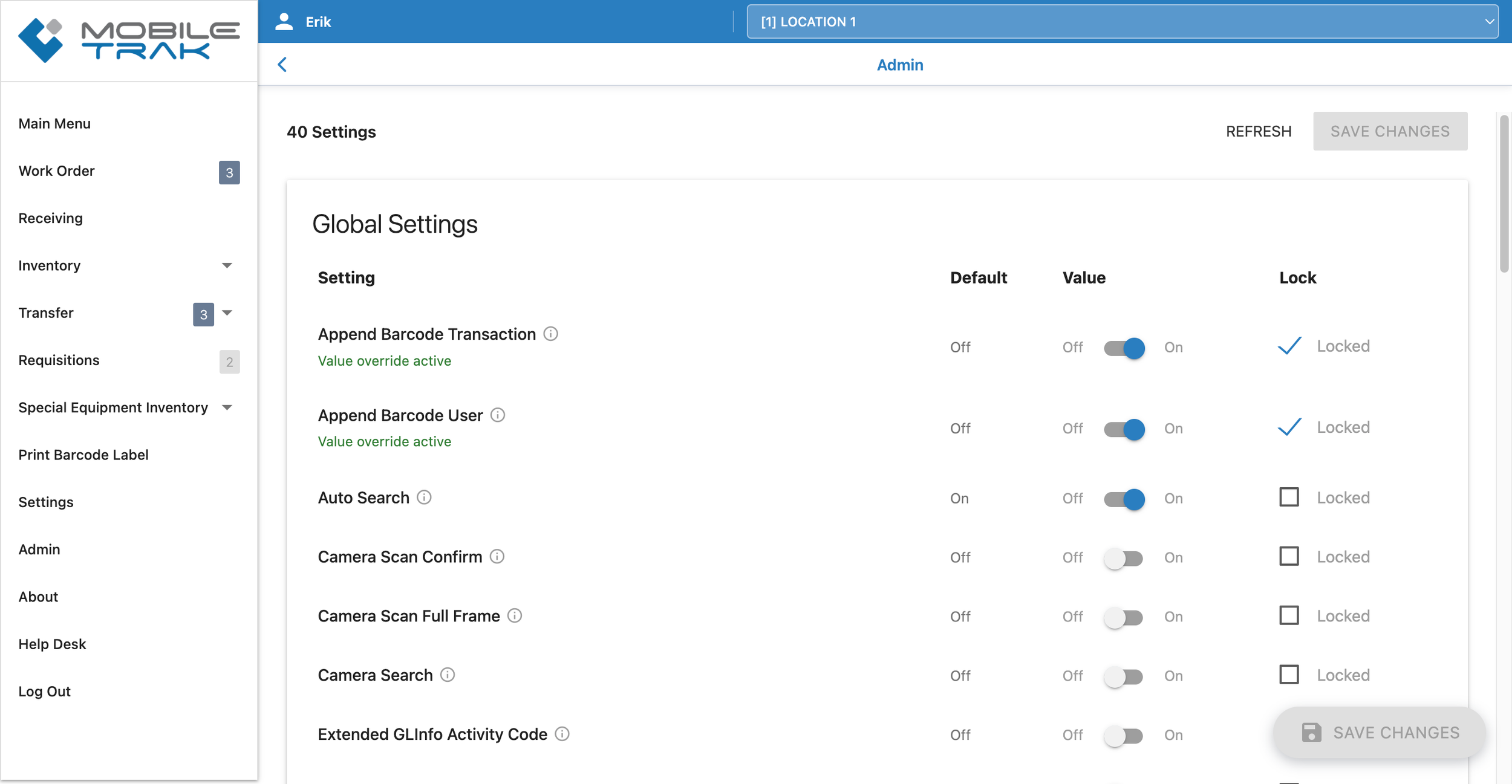
Global Settings is where administrators can view and set default values for all program settings for the organization. Settings can be toggled OFF or ON by default for all users. They can also be locked into an ON or OFF position. Locked settings cannot be adjusted on a per device basis.
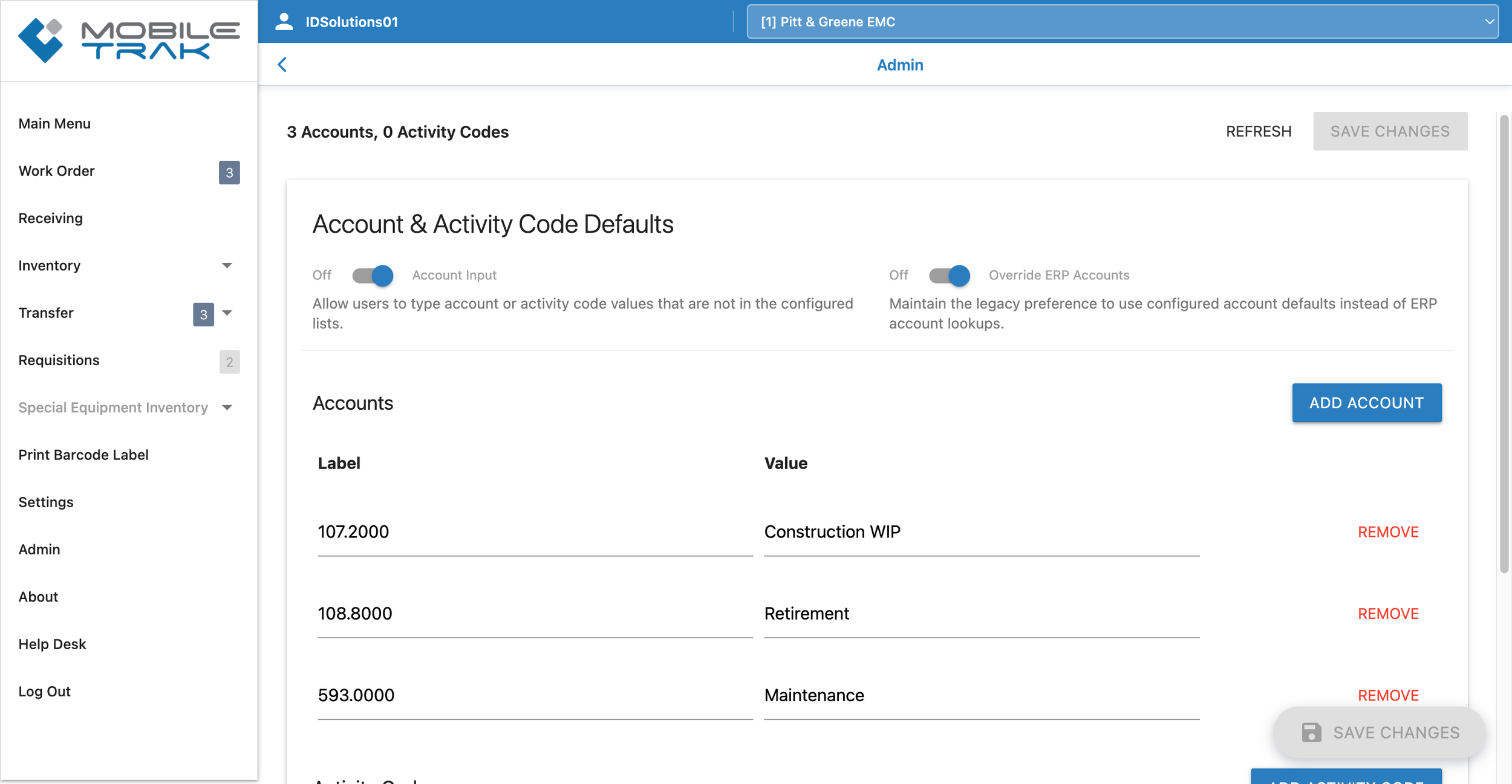
Account & Activity Code Defaults displays currently available accounts and activity codes and allows administrators to add, edit, or remove the available options.
Turning ON “Account Input” at the top of the page permits users to enter in a different account or activity code than the ones available in the current list. A setting of OFF for “Account Input” prevents users from entering any other accounts or activity code values.
For users whose ERP’s provide a list of accounts through the web services (Meridian & iXP) a second toggle option at the top for “Override ERP Accounts” allows administrators to choose if users should see the list from the ERP or lists created here by an administrator. An ON setting overrides the ERP listing, an OFF setting uses the ERP provided account and activity code lists.
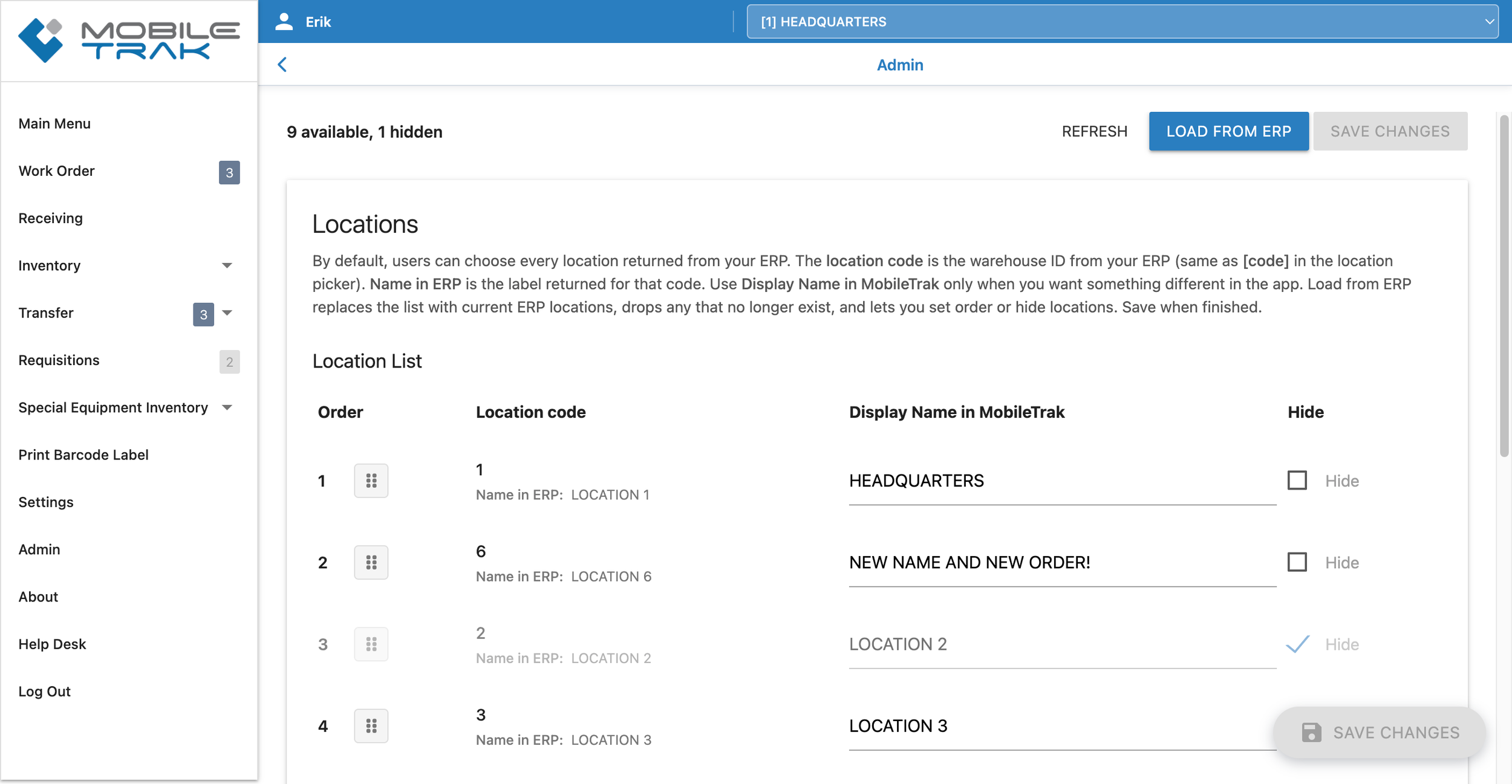
Locations allows for adminstrative management of the location options that appear in MOBILETrak. An up to date location list can be loaded from the ERP. Once loaded, administrators can choose to hide or show individual locations. They can also change what order the locations appear in the location dropdown list. Location names can also be given different display names as desired.
Effective July 1, 2026, these functions will be managed by customers directly through the MOBILETrak WMS ADMIN tools. We encourage administrator users to begin working within the new functionality ahead of this date so they are fully comfortable with the tools before the transition takes effect. IDS will remain available throughout the transition period to provide guidance and answer questions.
This change is designed to deliver greater control, faster response times, and improved visibility into your MOBILETrak WMS environment — putting the day-to-day experience squarely in your hands.
Please see our related announcement on the changes surrounding the Admin here: MOBILETrak Admin Announcement
OTHER IMPROVEMENTS
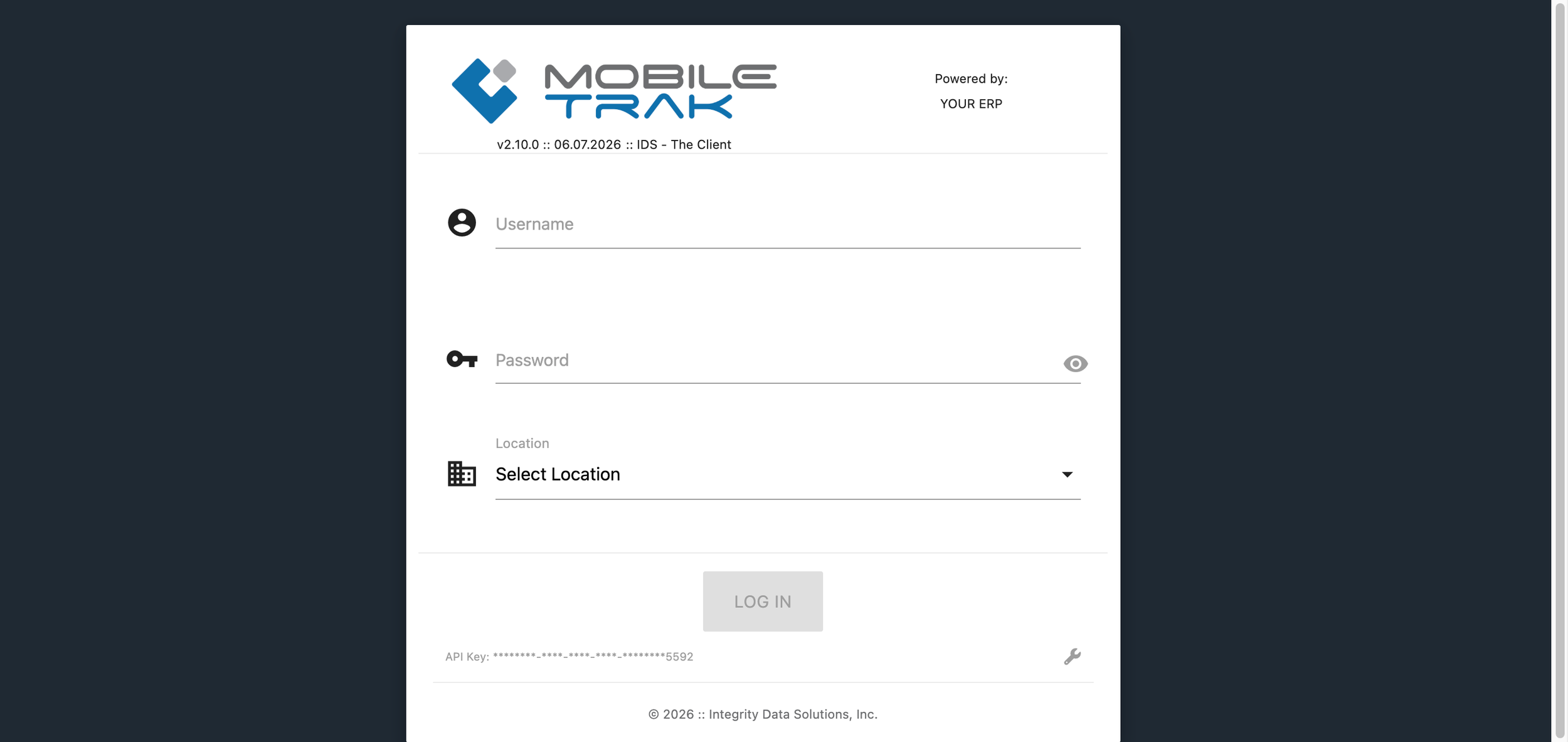
Login Screen Improved - The login screen has been updated to a cleaner look and better positioning of the credentials box on the page.
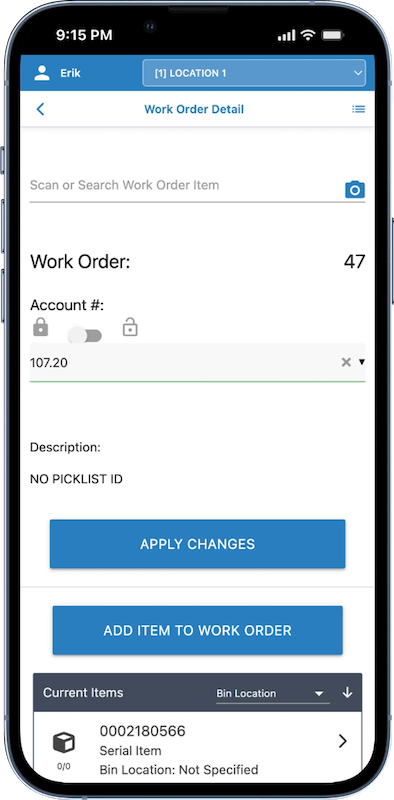
Logged-In User and Location Moved! - MOBILETrak users familiar with seeing the logged in user and location in the side menu will be happy to see it has been moved front and center to the top of all program screens. Users can change locations at any time from the by using the Location selector as well as continue to switch locations through the Settings Module.
This feature change provides customers with better visibility where they are performing work, as well as a quicker way to switch working locations.
In order to prevent accidental logouts, users will still log out through the “Logout” link in the side menu.
Note: Every transaction submitted from MOBILETrak will be recorded with the location the user has selected at the time of submission. Make sure to have the correct location selected.
Affected Transactions:
All
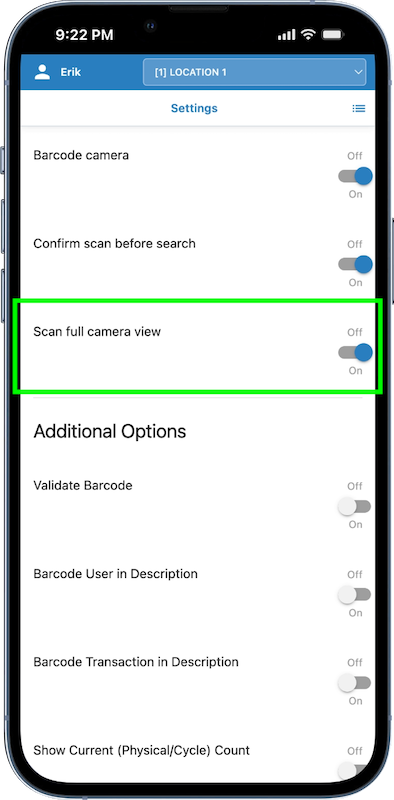
New Camera Setting “Scan full camera view” added - This new setting allows users to remove the “focus box” from the in-app camera. Turning this setting ON will ensure the camera focuses on any barcodes as soon as they entire the entire field of view. Turning this setting OFF will restore the focus area within the camera viewing window.
Note: Permissions need to be given on the device to allow the MOBILETrak App to access the camera.