SOFTWARE UPDATES
MOBILETrak Cloud Version 2.12.0
IMPROVEMENTS
Better Camera Handling
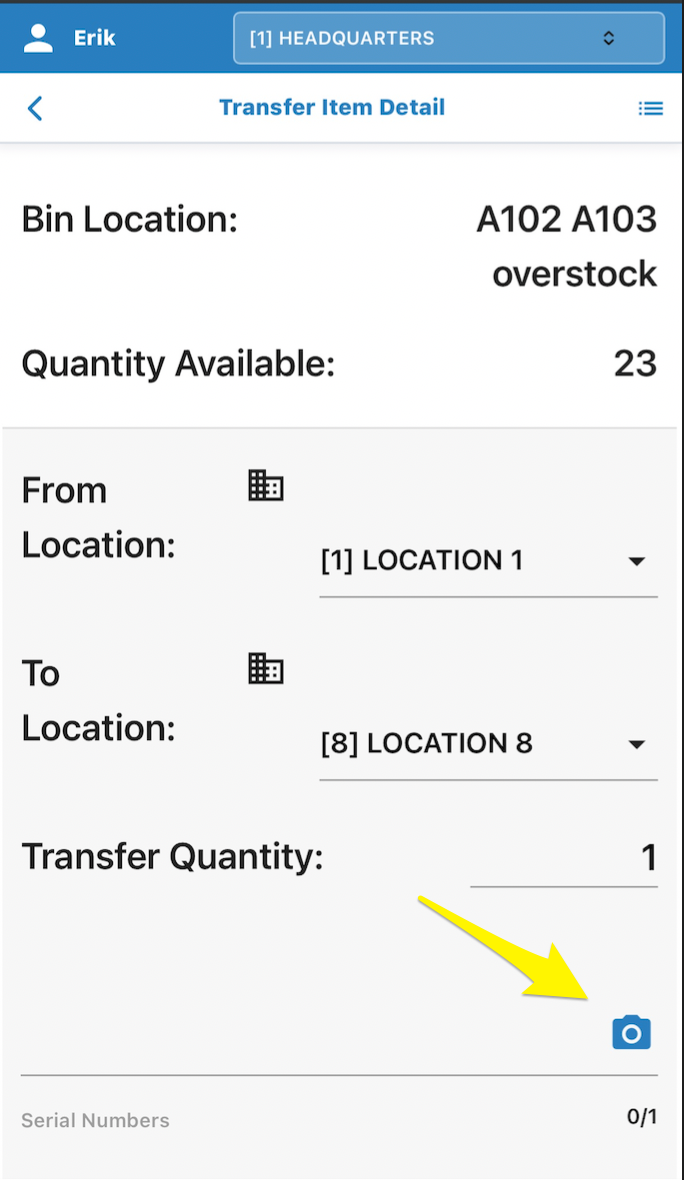
Camera Bugs on Tablet & Phones Resolved - Some tablet and phone devices were not allowing the camera to scan properly. An updated camera experience has been put in place.
Affected Transactions:
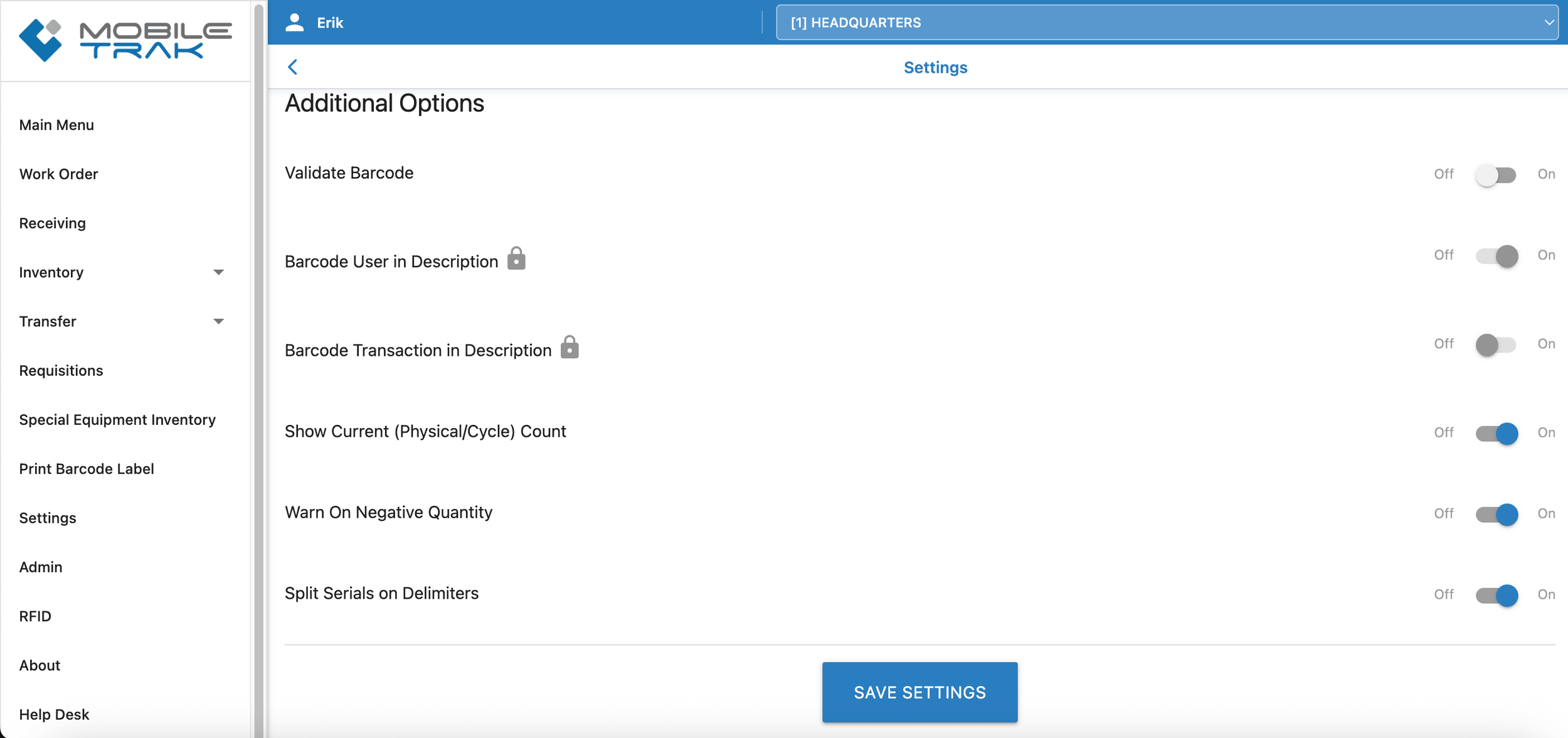
All Instances Where the Barcode Camera setting is enabled

Enable camera scanning to see results.
Browser and device settings as well as in-app MOBILETrak Settings (Search related Barcode Camera Permissions) are part of what control your device.
Clean your screen.
Check your local permissions.
And reach out if you have any issues with the scanning that remains unresolved.
Let’s investigate solutions together.
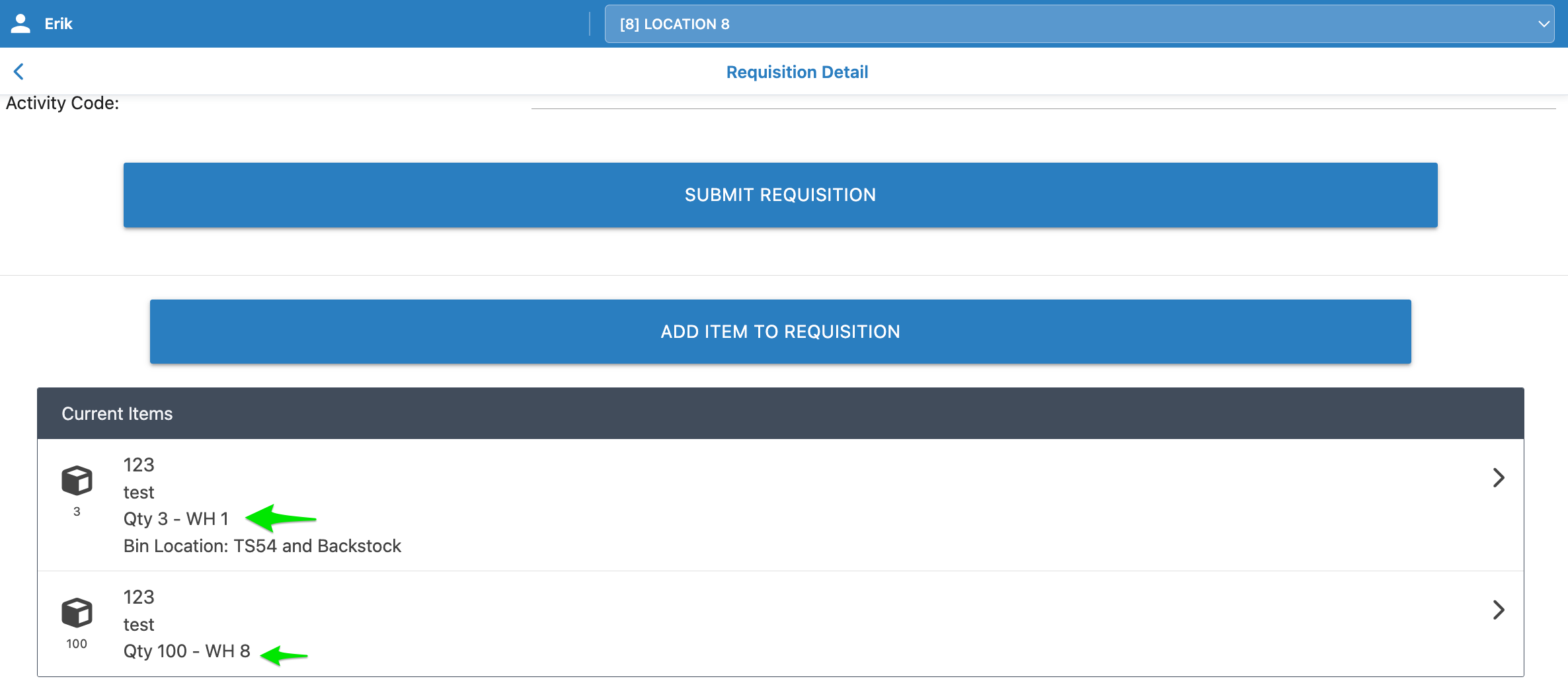
Same Item Now Allowed On Requisitions- The same item can now be added to the same requisition from different (multiple) warehouse locations. This change spans all users. Keep your descriptions helpful!
This behavior was previously prevented within the program and visually all users will see which location requested material on a shared requisition. Both in the ERP or the CSV depending on experience.
Affected Transactions:
Requisitions
FIXES
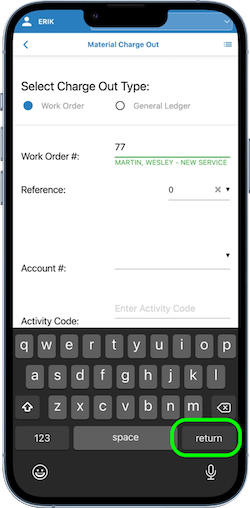
Charge-Out & Returns - Work Order Field Now Triggering An “Enter Button”- Some mobile device browsers were triggering a Tab button to appear on the soft keyboard when keying data into the Work Order field. That issue has been fixed in this release and users should now see an Enter key by default when in this field.
Affected Transactions:
Material Charge-Out
Material Return
*NOTE
MOBILETrak RFID Users also received an update over the weekend to Version 1.07.0 - See notes in the footer of the RFID dashboard.
Several other minimal user-reported changes were included in this release. Please open a ticket or reach out to any member of our team to report any issues you are unable to resolve.
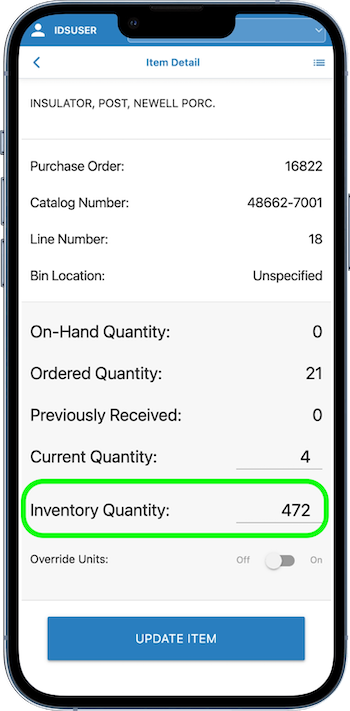
UPN - Receiving Allows Inventory Quantity - When receiving in material, UPN users will now see the Inventory Quantity field in addition to the “Current Quantity” field when working with receiving material on purchase orders. By default the Inventory Quantity will Pre-Fill with the Current Quantity however it can be adjusted by the user when it is relevant to adjust for a separate Inventory Quantity.
Affected Transactions:
Receiving