
NEW FEATURES
Vendor Tag Assignment Portal - This release includes the addition of a new portal for vendors working with customers subscribing to MOBILETrak WMS and RFID. Vendors providing materials pre-tagged for RFID customers will utilize the portal for submitting RFID tag assignment data ahead of equipment delivery, providing in-transit visibility to the customer of all incoming RFID tagged material.
Contact the ID Solutions team if you’re interested in RFID or interested in working with your vendors to pre-tag future deliveries of your RFID items.
New Transactions:
Vendor Tag Assignment
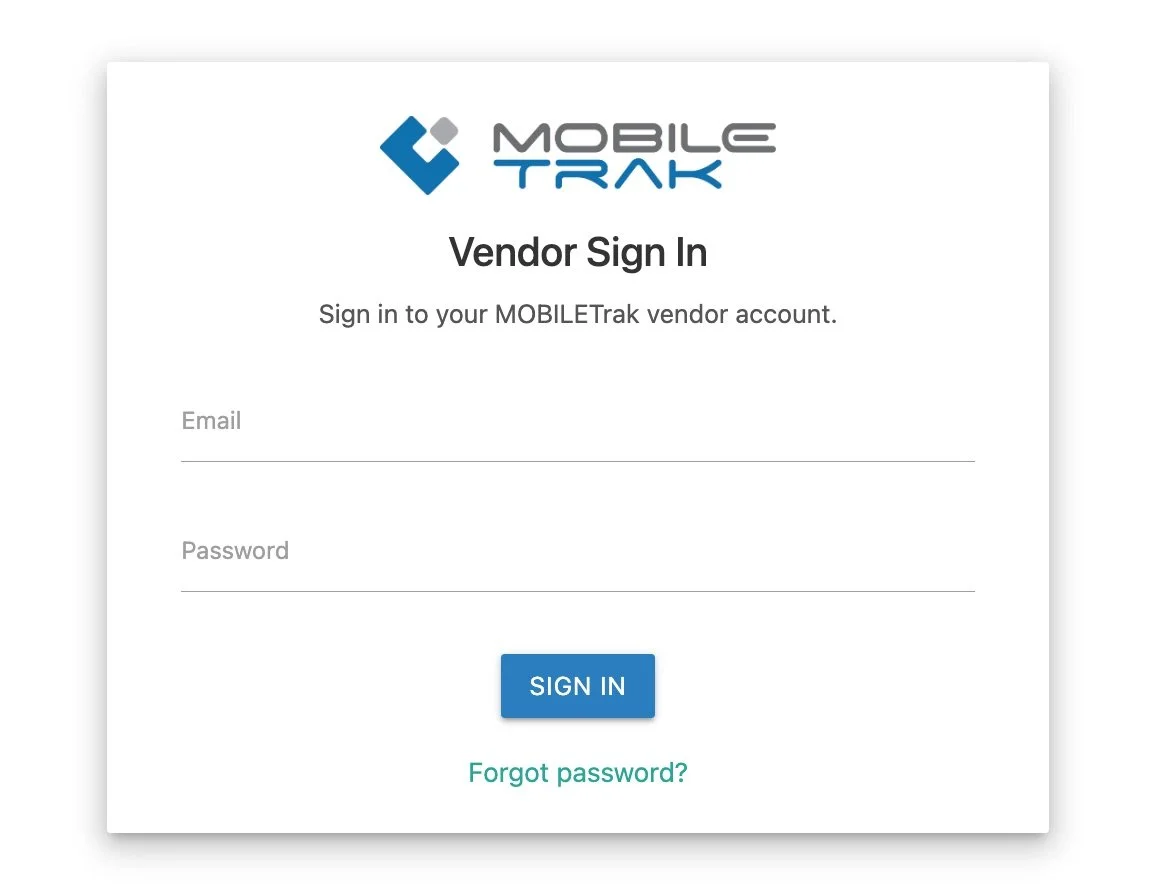
The Vendor Portal allows authorized vendor users to record RFID tag assignment data prior to equipment delivery.
Vendor’s only have access to validate PO’s assigned to their company, and only see item data for the items on the selected purchase order.
The Vendor Portal keeps track of the quantity ordered, quantity fulfilled, and visual notifies the vendor of any mismatch of quantity prior to submission.
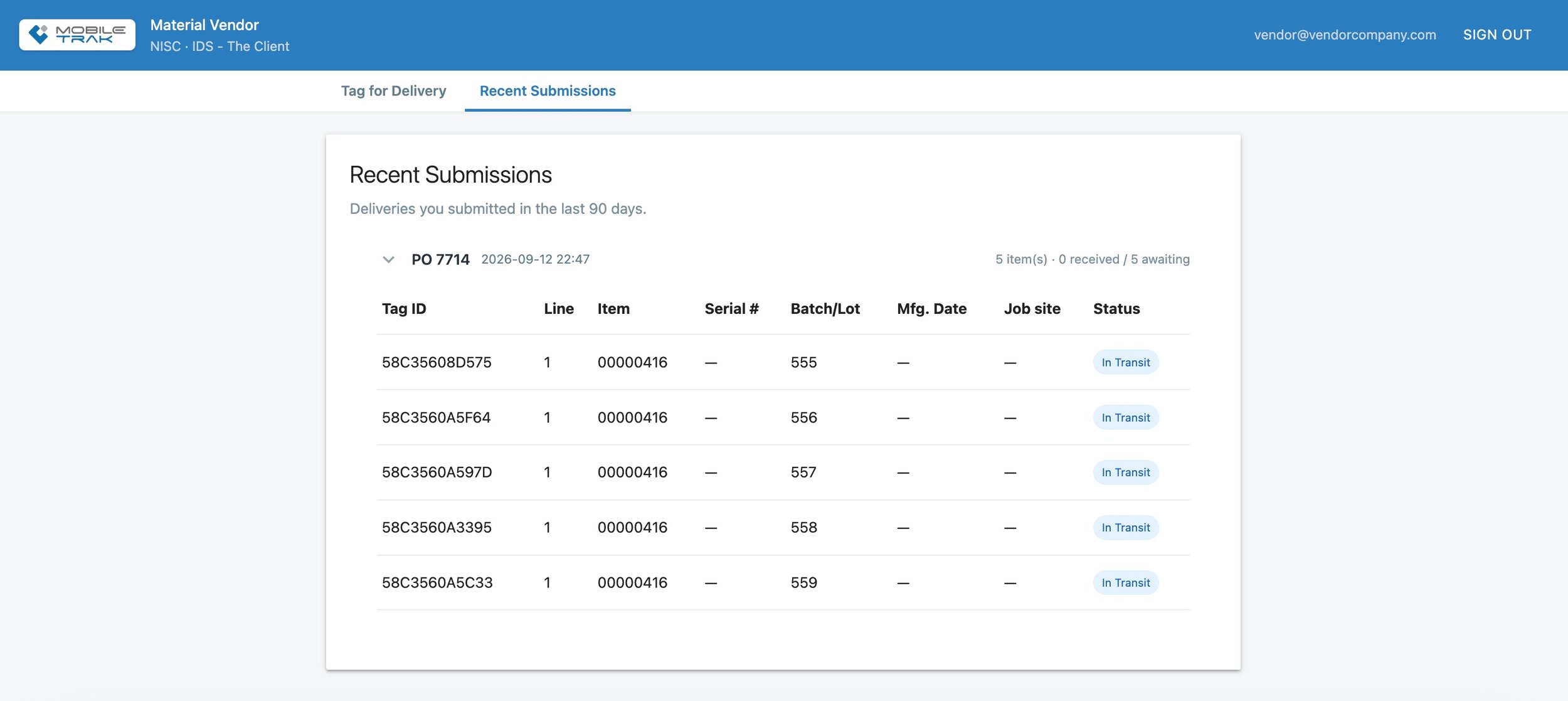
Once data has been submitted vendors can review recent submissions within the portal


The MOBILETrak RFID interface will display vendor submitted deliveries on the “Tags held for delivery” report.
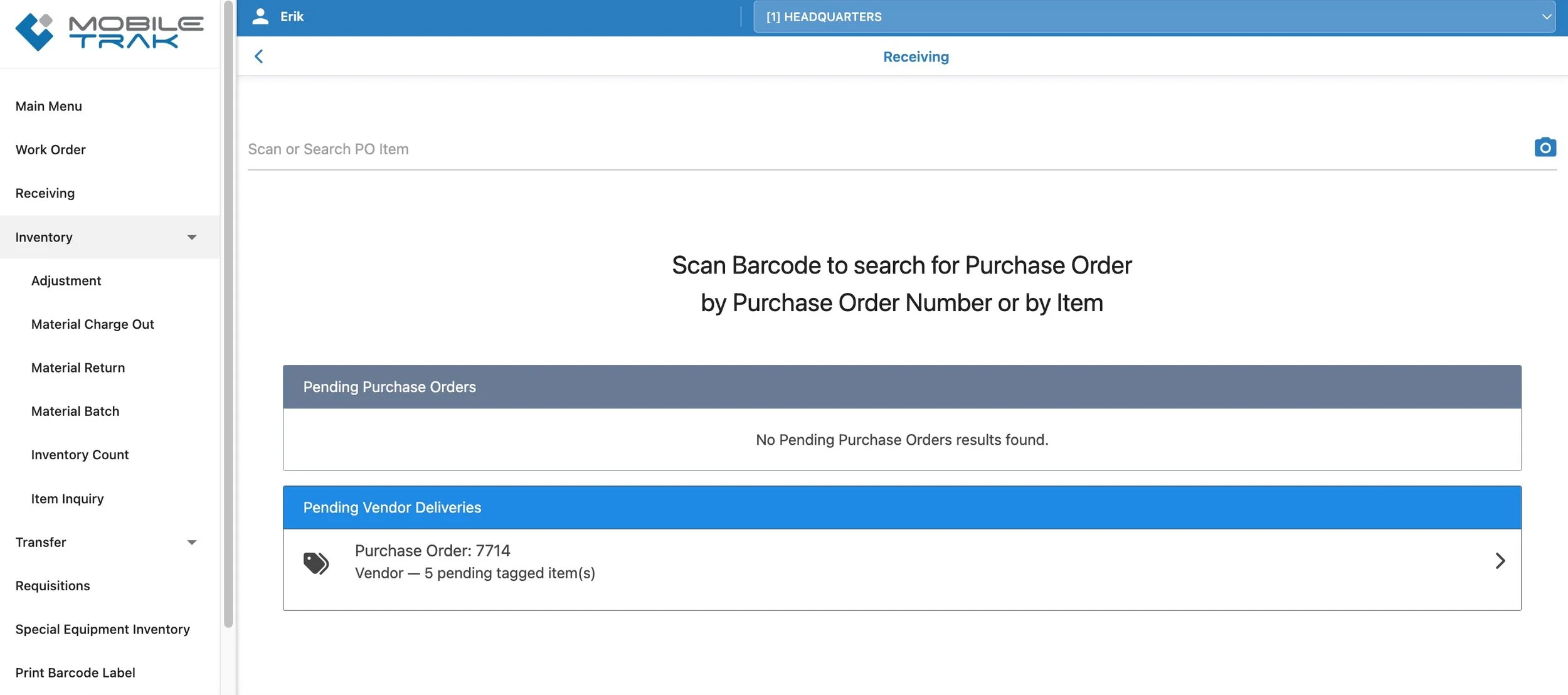
Once submitted to the portal, an in-transit delivery notification will appear within the MOBILETrak WMS Receiving module for the receiving warehouse. The status of each item will update if and when the equipment is read by an RFID reader in the location it was ordered for, or any other RFID enabled location.

Any purchase orders containing RFID items tagged for delivery will appear with a banner listing number of tags and their status at the top of the purchase order list. Individual items will also appear with an RFID label.
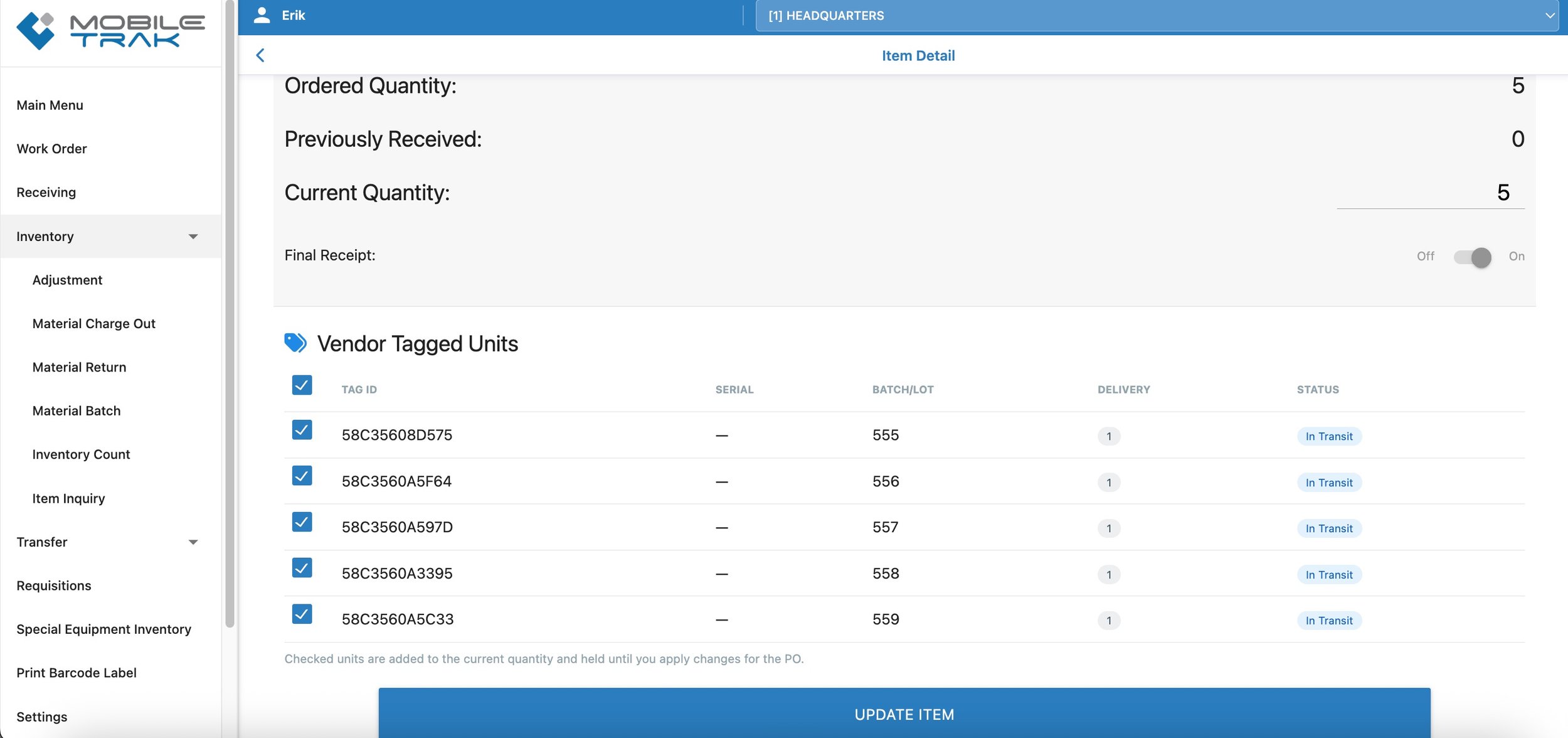
Pre-tagged material detected by RFID readers at the customer location will trigger status updates on those purchase orders and items as the material arrives. Pre-tagged items can be verified and received through the normal MOBILETrak Receiving process once arrival is confirmed.
RFID - RFID to WMS Pathway Option - This release includes a new option for RFID customers that allows for a more direct interaction with WMS to identify and work in the WMS interface with RFID tagged items.*
The RFID to WMS Pathway, once enabled, adds an RFID label to any item also existing in MOBILETrak RFID. When working within any module in the WMS interface, the RFID label will appear related to those items. Charge-out transactions, Returns, and Transfers whether initiated from the WMS module or the RFID dashboard, will work with the existing tags. In some areas of WMS such as Receiving (non-vendor portal) and Adjustment, the user will be provided with direction to the RFID interface when an item tag assignment or removal should be considered.
The ID Solutions team will be reaching out to existing RFID customers to discuss this new interactivity option and work with those interested in switching over to this process. Please contact IDS with any questions.
Affected Transactions:
All (when enabled)
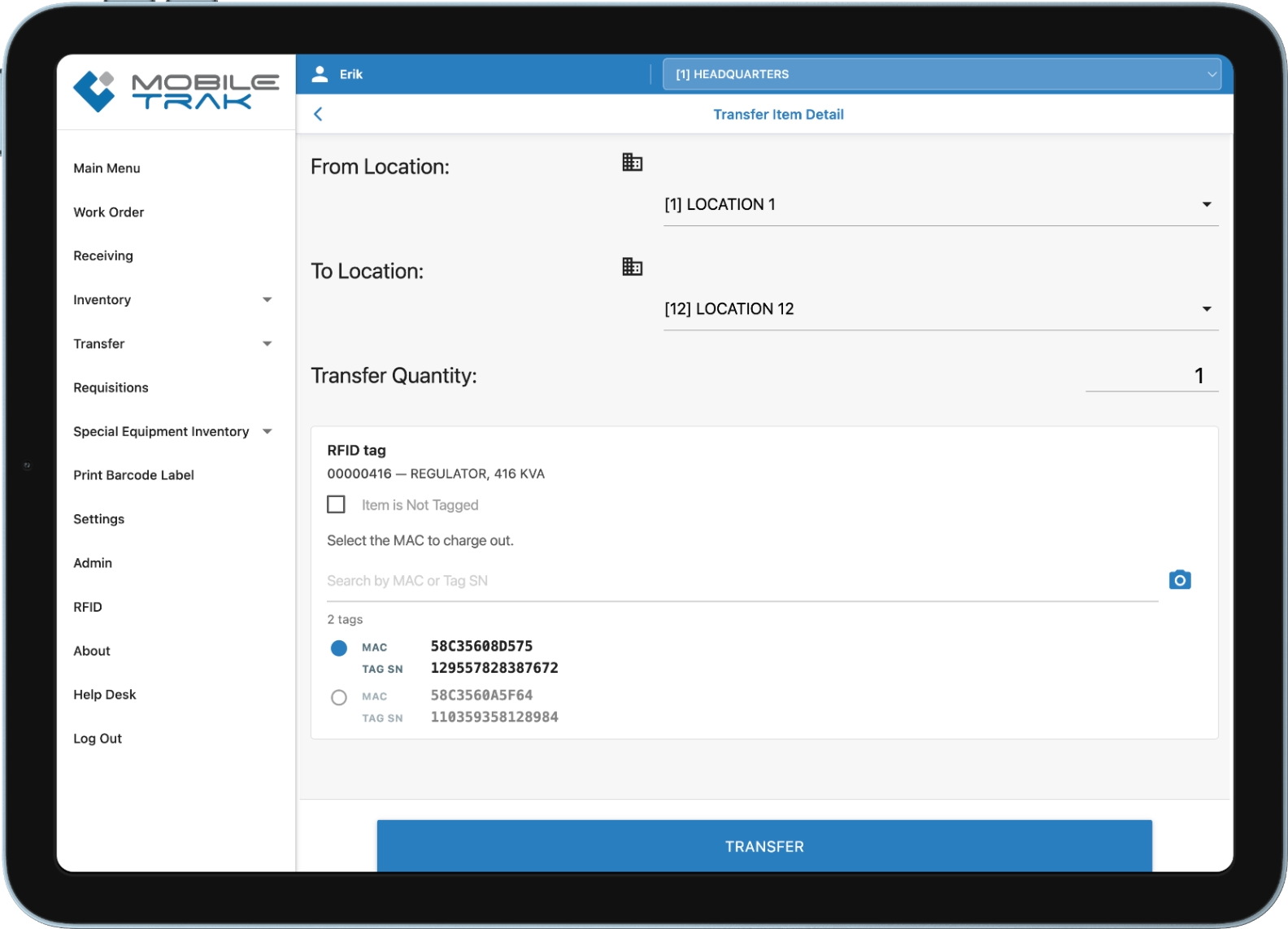
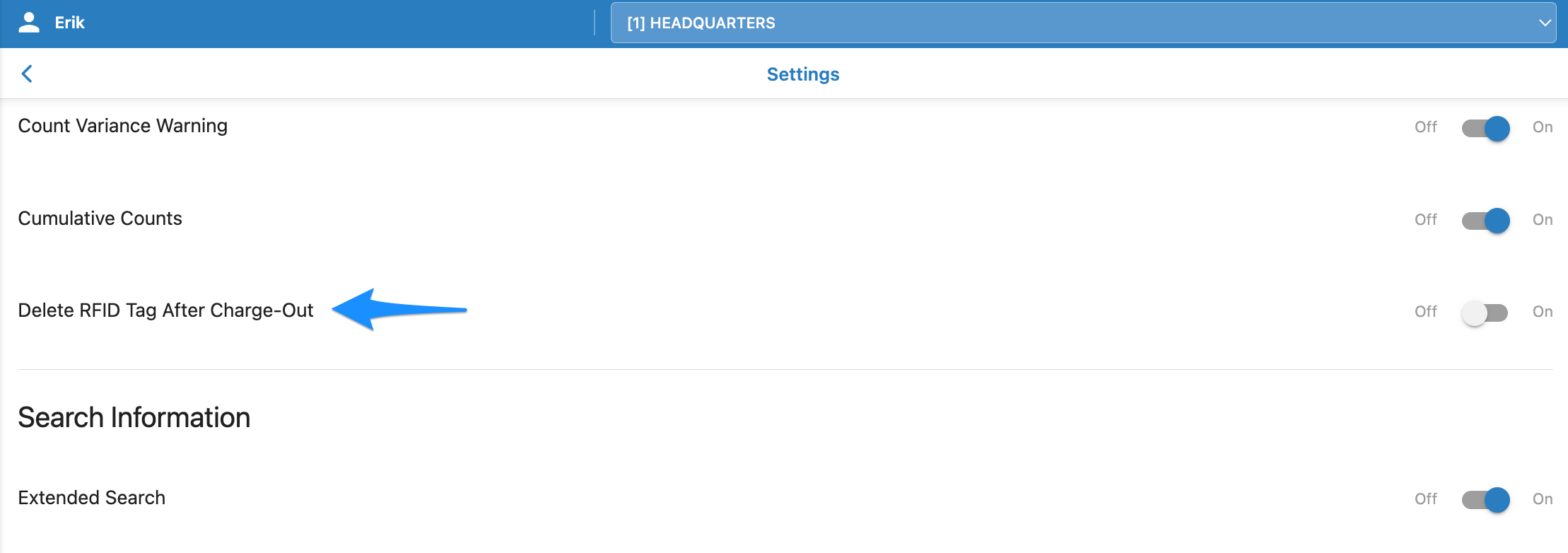
*NOTE: The creation of this RFID to WMS pathway option also brings into the program a New Setting: Delete RFID Tag After Charge-Out.
This setting only affects users of WMS and RFID who have the pathway option enabled. The setting provides an organization-wide behavioral choice for reusing tags or keeping tag history to track returns and transfers.
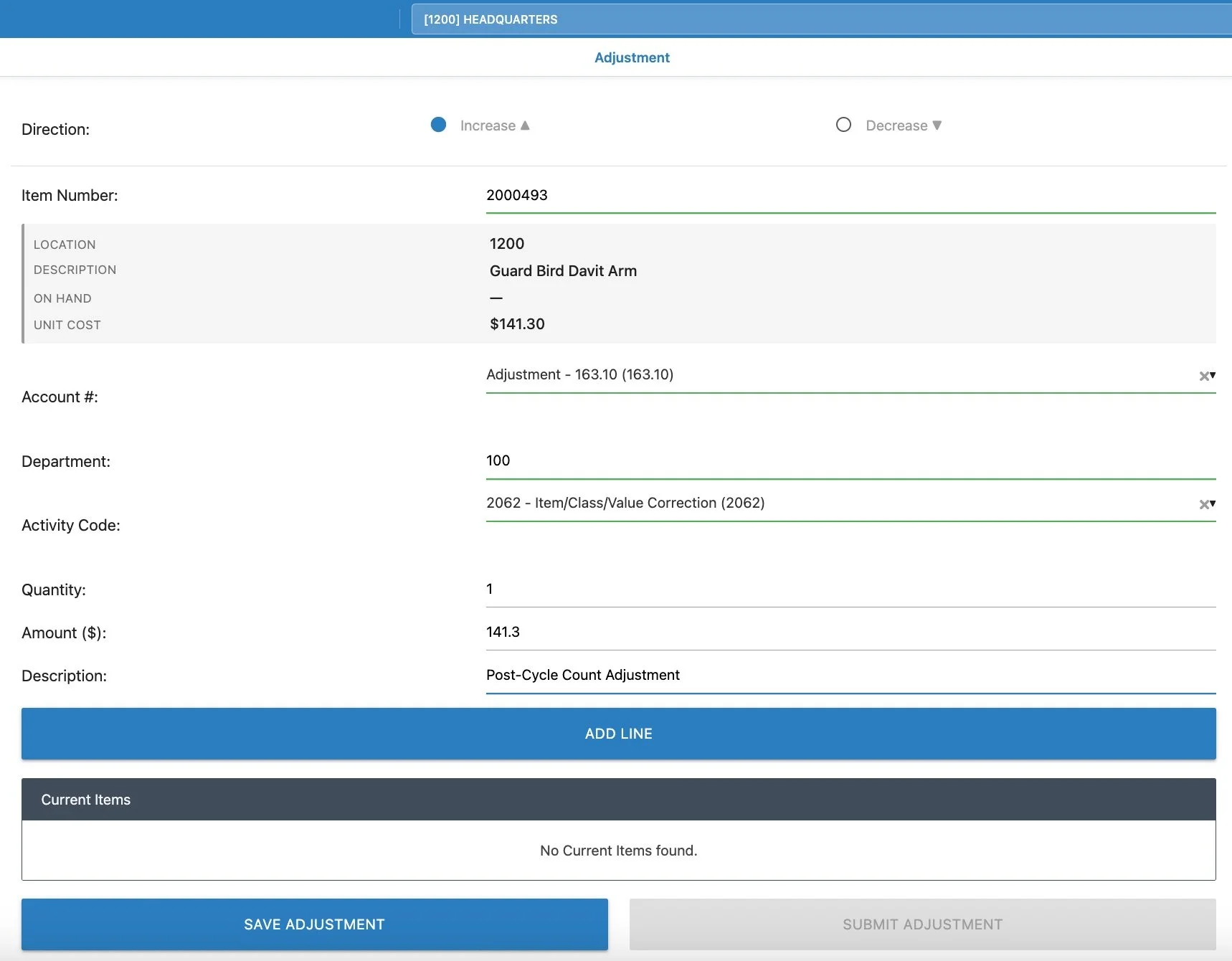
iVUE - Adjustments Module Now Available - This release includes the addition of a new module for processing Adjustment transactions. iVUE customers wanting to expose Adjustment functionality to all of their organization’s MOBILETrak users can contact the ID Solutions team to discuss adding this new optional module.
New Transactions:
Adjustment
IMPROVEMENTS
Pending Flags Improved - Users may notice more pending transaction flags on MOBILETrak’s menus, and some additional places where items appear while pending with an orange pending bar on the left side of the item. Several places where these flags were missing have been identified and updated.
Affected Transactions:
Multi-Work Order Added Items
Batches
Inventory Count
Transfer Issue
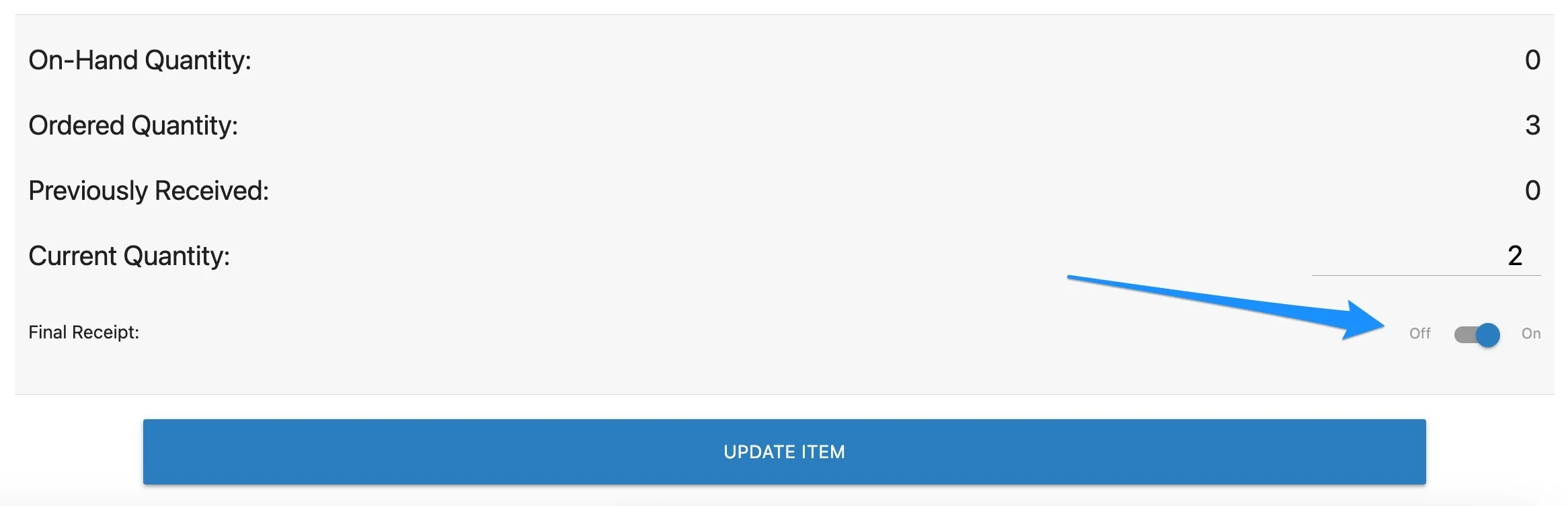
iVUE - Final Receipt Function Added in Receiving - An update has been made to the process behind the scenes for items being returned to Meridian as “Retirement/Salvage” returns. This change will prevent the previously reported account validation error.
Affected Transactions:
Receiving
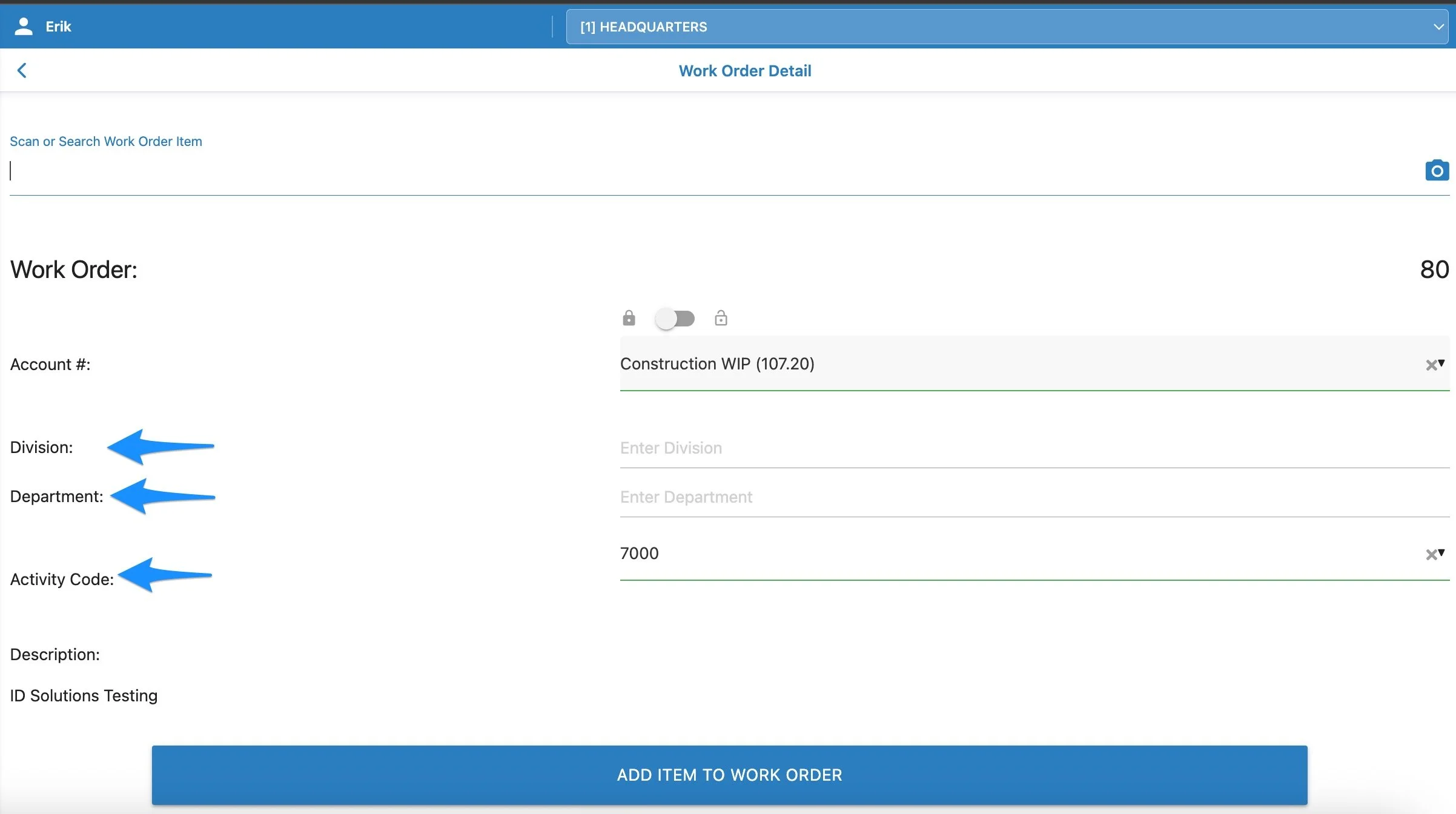
Work Order Fields Expanded - Where users have the settings enabled to display Division, Department, and/or Activity Code, Those fields will now appear on the Work Order for the user to fill in and send along to the ERP.
Affected Transactions:
Work Order
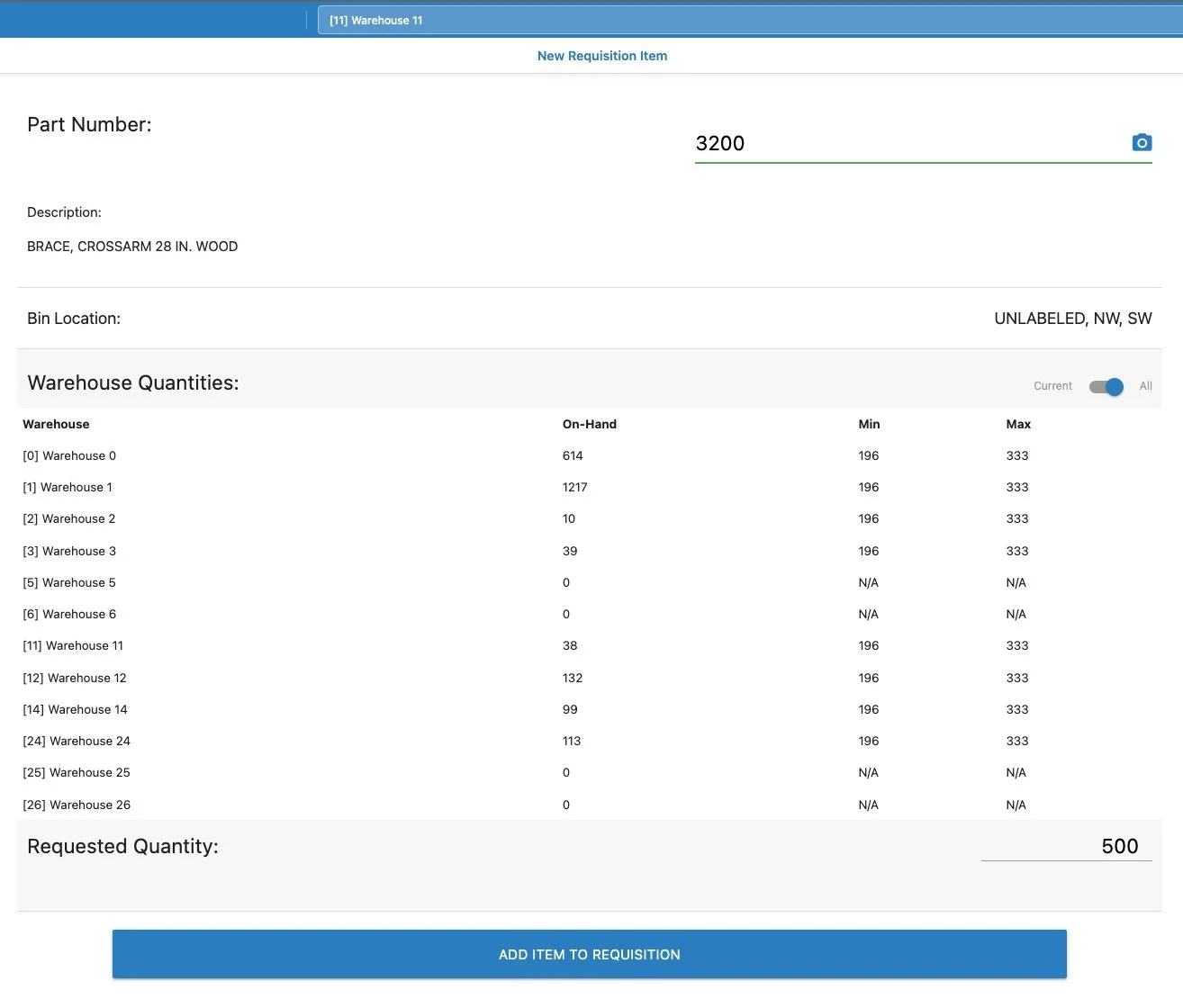
Min & Max Values, Bin Locations, and Visibility To Other Warehouse Quantities Now Visible In Requistions - In order to provide valuable information at the time of creating a requisition, the Min and Max and Bin Location fields have been added to the Add Item screen. Additionally, an added all-locations warehouse toggle allows users to review where the item may currently be available in other locations.
Affected Transactions:
Requistions
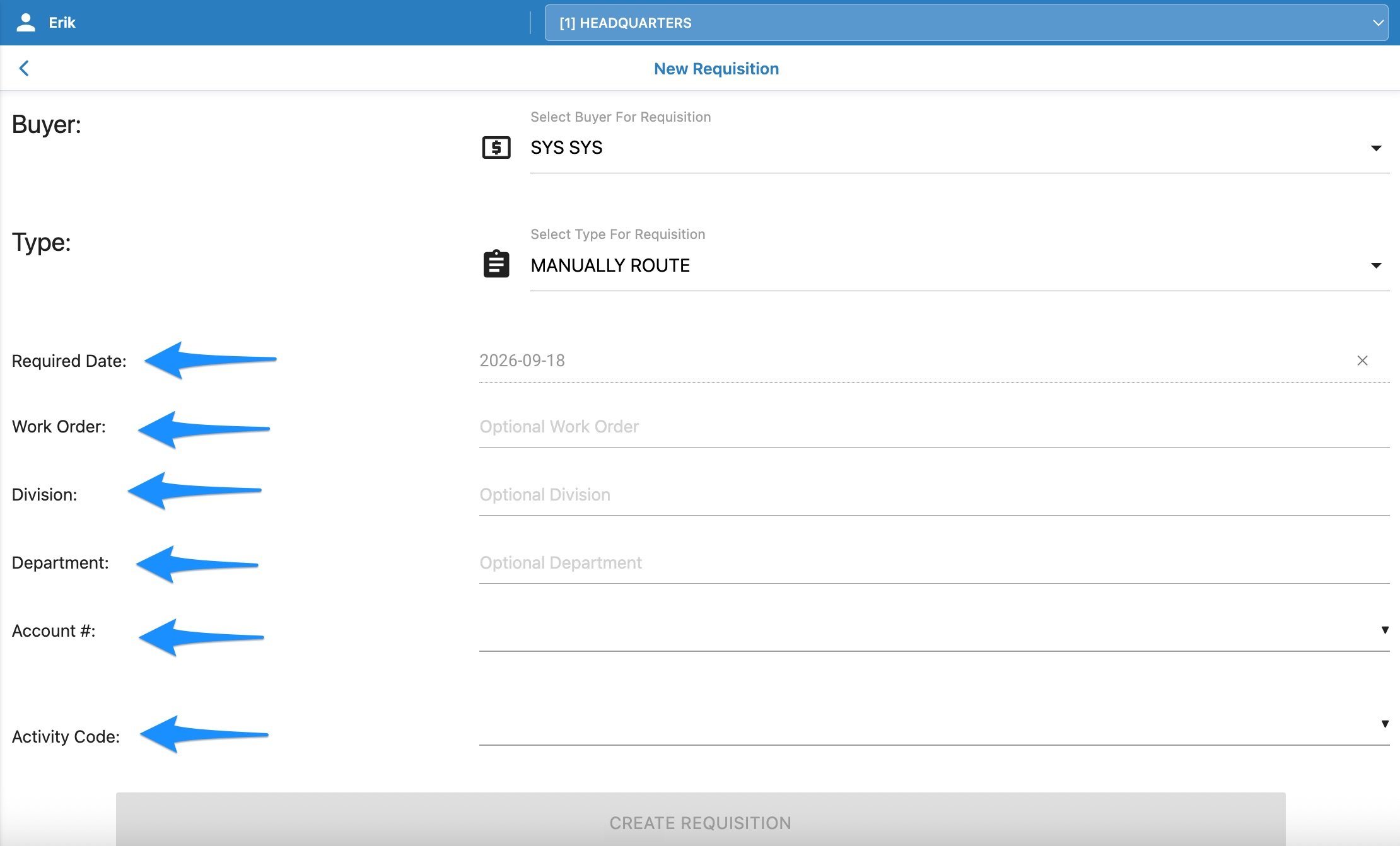
iVUE - Additional Optional Fields Added To Requisition - For iVUE users, in addition to the fields added for everyone, some additional accounting and relational fields have been added. Users who have settings enabled to turn on Division, Department, and/or Activity Code fields will see those fields available as well as all users will have the option of setting the “Required Date” (Set by default to 5 business days out) and entering a related Work Order.
Affected Transactions:
Requisitions
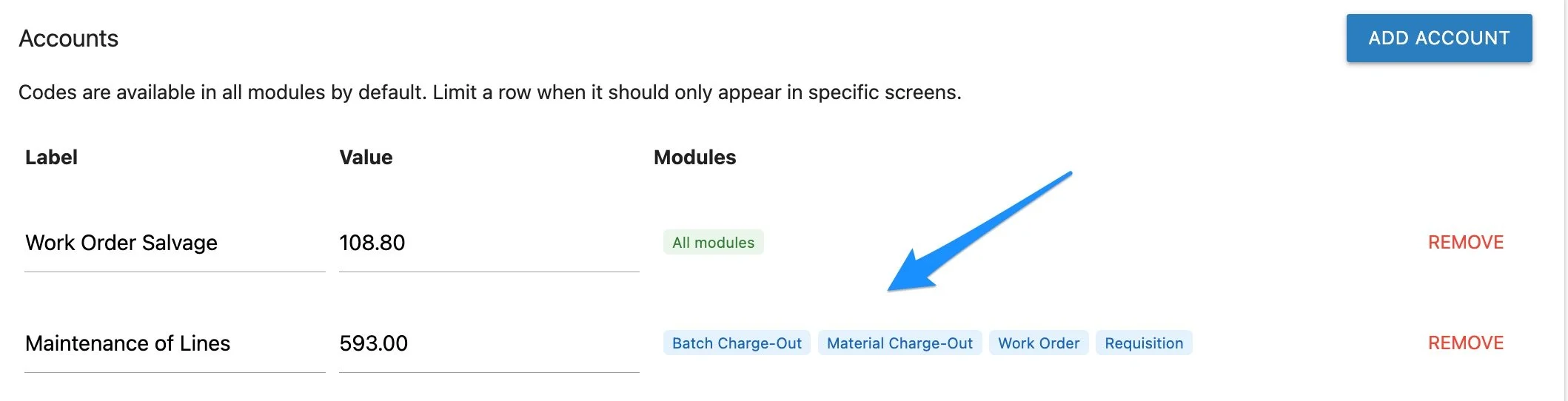
Admin Users Can Now Show/Hide Accounts & Activity Codes By Module - This improvement allows the MOBILETrak administrator to set which Account and Activity Codes are visible for working with in each module. By setting individual module access, the Account & Activity Code lists only display the values that are applicable to the transaction.
Affected Transactions:
Account & Activity Code Defaults (Admin)
FIXES
Admin Users Can Now Delete Pending Transfer Requests - This fix resolves the issue of administrative users not being able to delete a Transfer Request that had been submitted but not issued out through MOBILETrak.
Affected Transactions:
Delete Pending Transactions (Admin)
iVUE & iXp - Work Orders Now Allow Added Items To Be the Same Item From Different Sublocations (iVUE) or Different Bin Locations (iXp) - This fix resolves the issue of added items being restricted to a single sublocation (iVUE) or bin location (iXp)
Affected Transactions:
Work Order
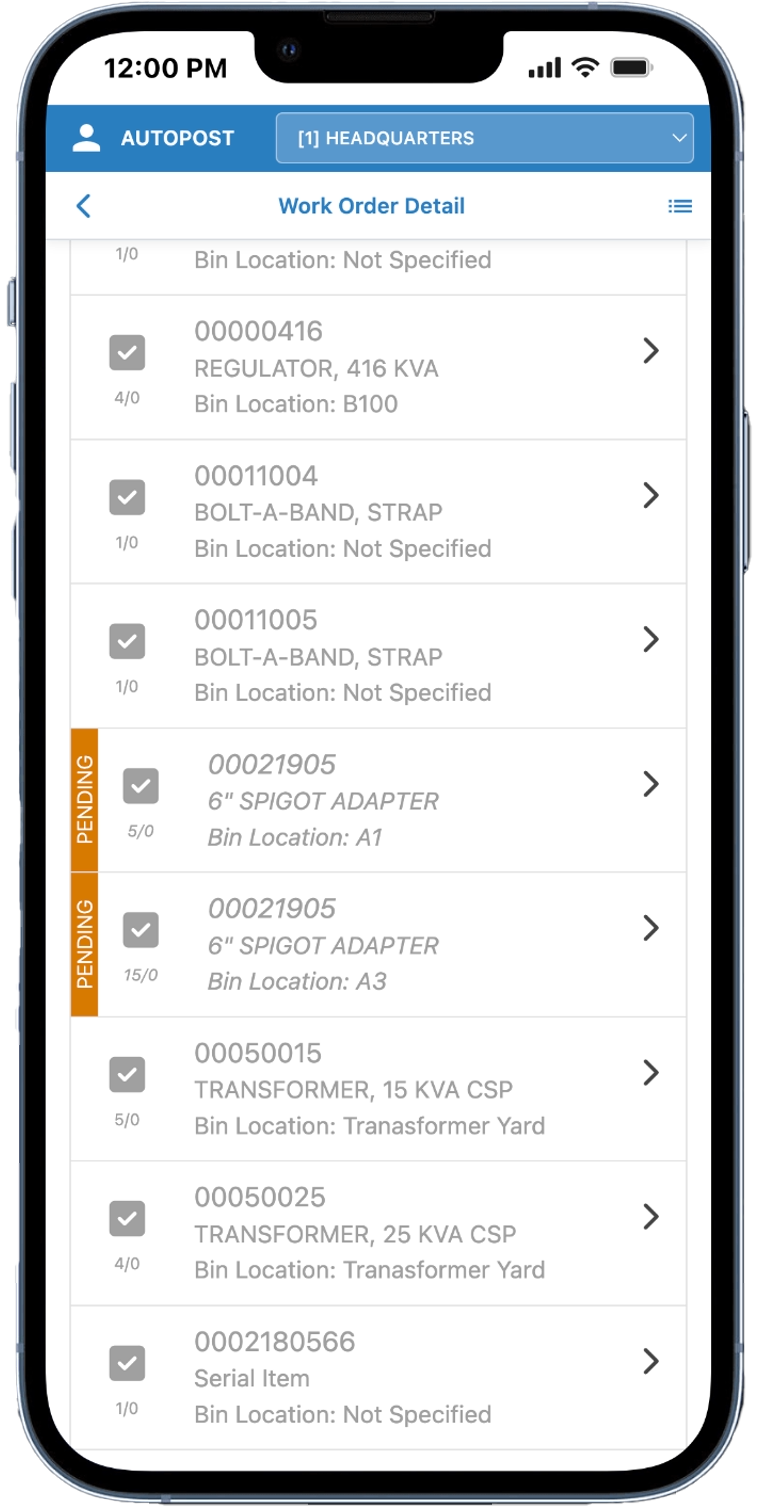
(iVUE) Added item in 2 Sublocations - Separately Listed As Pending Prior to Applying Changes Back To iVUE.
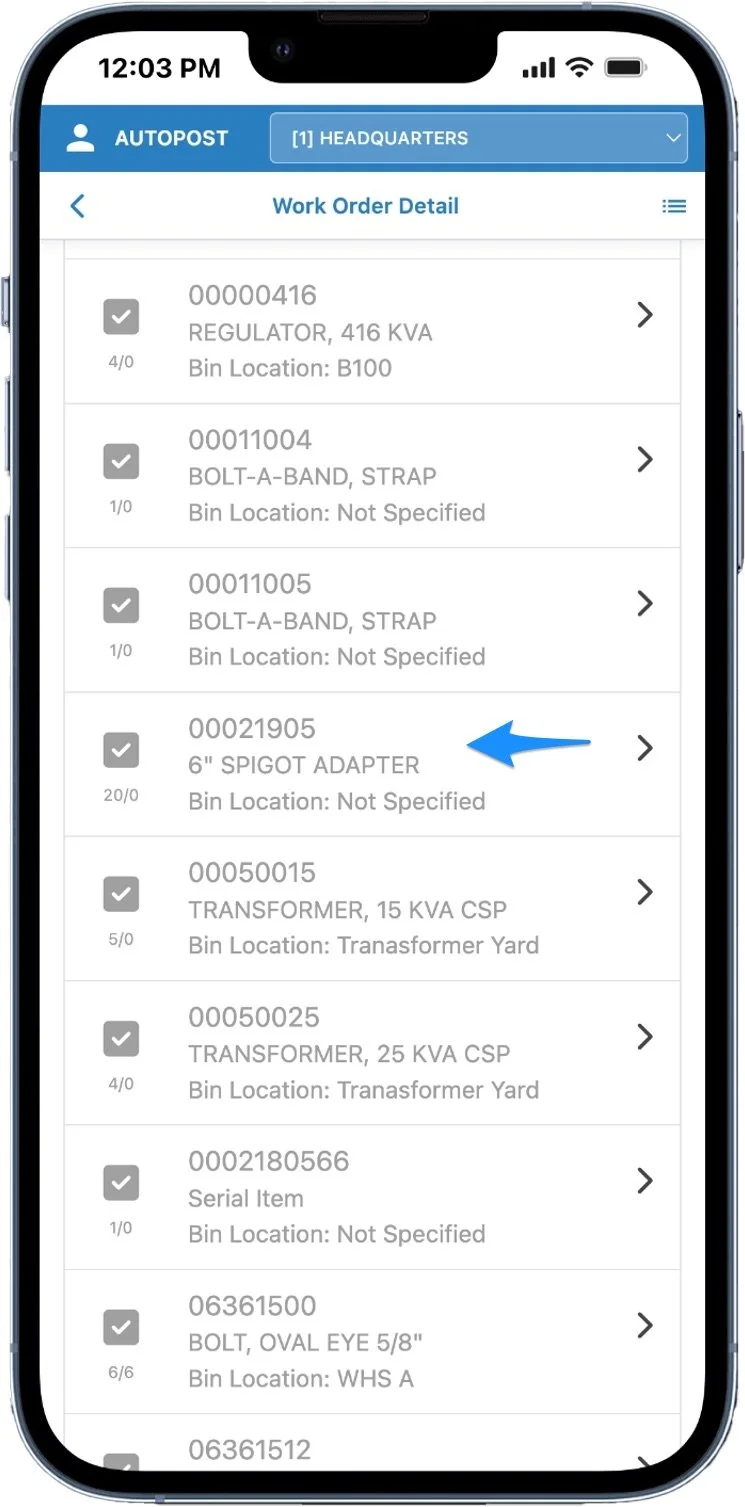
(iVUE) Added Item Total Returned From iVUE Displays On 1 Line After Posting to iVUE.
*Staked Quantity For Added Items Remains 0 (eg. 20/0)
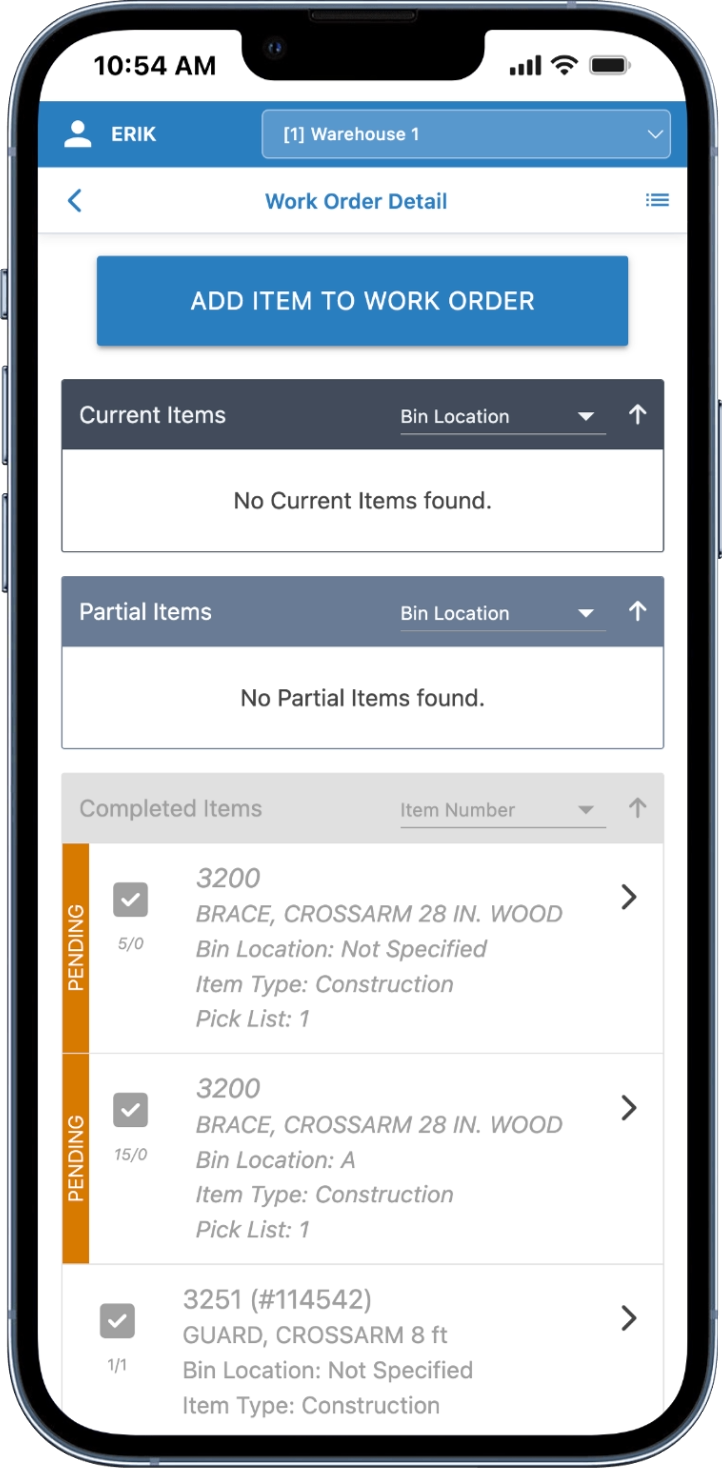
(iXp) Added item in 2 Bin Locations - Separately Listed As Pending Prior to Applying Changes Back To iXp.
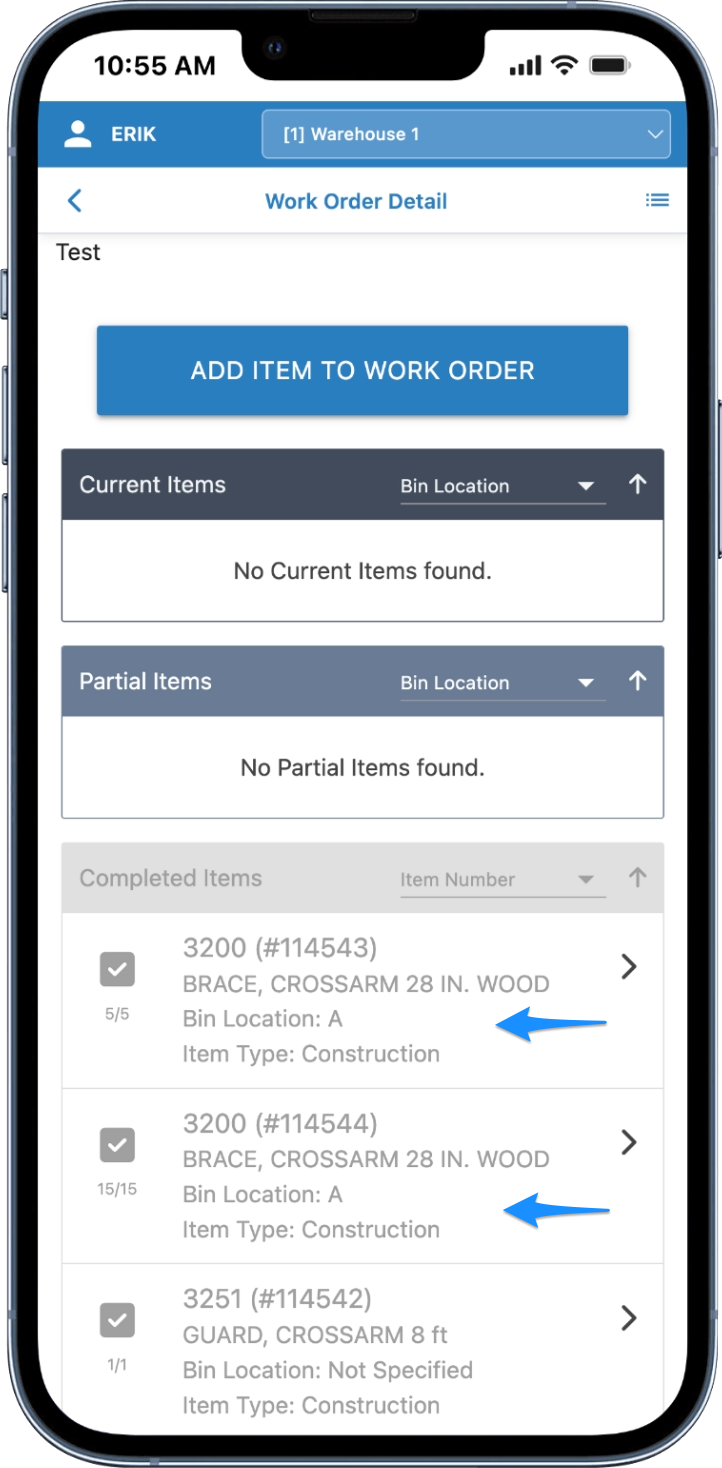
(iXp) Added Items Display Separately with Unique Ticket Numbers Assigned.
*Staked Quantity For Added Items Updates To The Total Charged From Each Bin (eg. 5/5 & 15/15)
NOTE
This release brought into the application several fixes as well as multiple new features and options neccessary for one of our valuable MOBILETrak customers. Additional improvements and fixes will follow this release as MOBILETrak continues to enhance inventory tracking and management experiences accross the supply chain.